Cast Android screens and media to smart TVs with HD control
Mirror your Android screen to a TV in HD or Full HD, cast photos, videos, and music directly from your device gallery with selectable quality options. Any TV Screen Casting, from klebo, bundles screen mirroring, media casting, and multi-protocol support into a single Android multimedia tool. It supports common smart TV brands and is aimed at families sharing media, casual presenters, and anyone who wants larger-screen playback without extra hardware.
What the app does for your mobile-to-TV setup
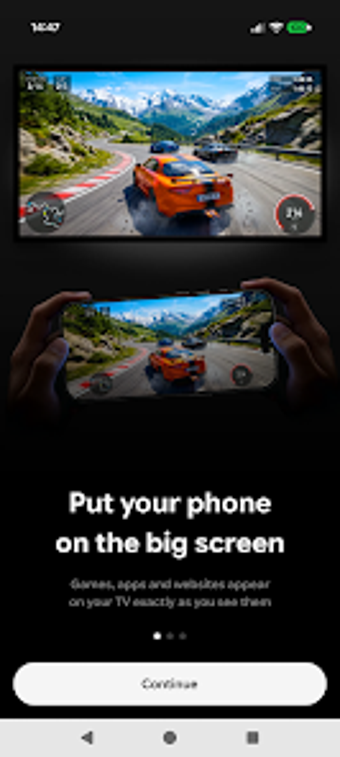
Any TV Screen Casting provides wireless screen mirroring and direct media casting from your Android device to compatible televisions. The app sends your device display or files across a shared Wi-Fi network, letting you present slides, browse photos, or play local videos on a larger screen. It opens the device gallery inside the app so you can select photos, videos, or music and push them to the TV without switching apps.
Which formats and devices it connects to
The app supports connection to TVs that implement common casting protocols, including Google Cast, AirPlay, and DLNA, so it works with Samsung, LG, Sony, and TCL smart sets. You choose HD or Full HD mirroring quality depending on your network and device. The support for multiple protocols means you can connect to a variety of receivers without adding protocol-specific tools.
How the interface and workflow feel on Android
You discover target devices on the same Wi-Fi network and select the TV from a list presented inside the app, which keeps setup straightforward and avoids account registration. The developer targets Android 7.0 and up, so you can run the tool on many entry-level and newer devices. Navigation focuses on casting tasks rather than settings, which helps you start a session quickly.
Performance, limitations, and practical trade-offs
Mirroring quality depends on local network strength, and reception notes that performance varies with Wi-Fi conditions. Some protected content won't appear during mirroring because third-party DRM blocks capture or audio sharing. The app covers audio playback to TV speakers, but advanced audio mixing or professional sound control is not part of its feature set.
A practical gateway to TV casting for everyday users
You get a single Android tool that sends your screen, photos, videos, and music to a broad set of smart TVs using industry-standard casting protocols. It's a good entry point if you want quick, device-to-TV sharing without extra hardware or account setup; expect variable performance on weaker Wi-Fi and restricted playback for DRM-protected streams.